Nobody starts working at a charity because they love clicking Save.
Some weeks, though, that's most of the job. You come back from a long weekend and there are forty Interac e-Transfers waiting on the Transfers tab, most of them from people you know by name. Or a campaign gets renamed in June and half the year's pledges are now filed under the old name. Until now DonorLog made you fix each one by hand. Open it, change it, save, next.
Nothing was broken. It was just slow, and slow work done tired is where mistakes creep in. So both screens now have bulk actions.
e-Transfers
If you use our Interac e-Transfer integration, you know the Transfers tab already. Each row still has its own Match and Ignore buttons. What's new is a checkbox on every unlinked transfer. Tick a few, or tick the header to grab the whole page, and two buttons appear: Match selected and Ignore selected.
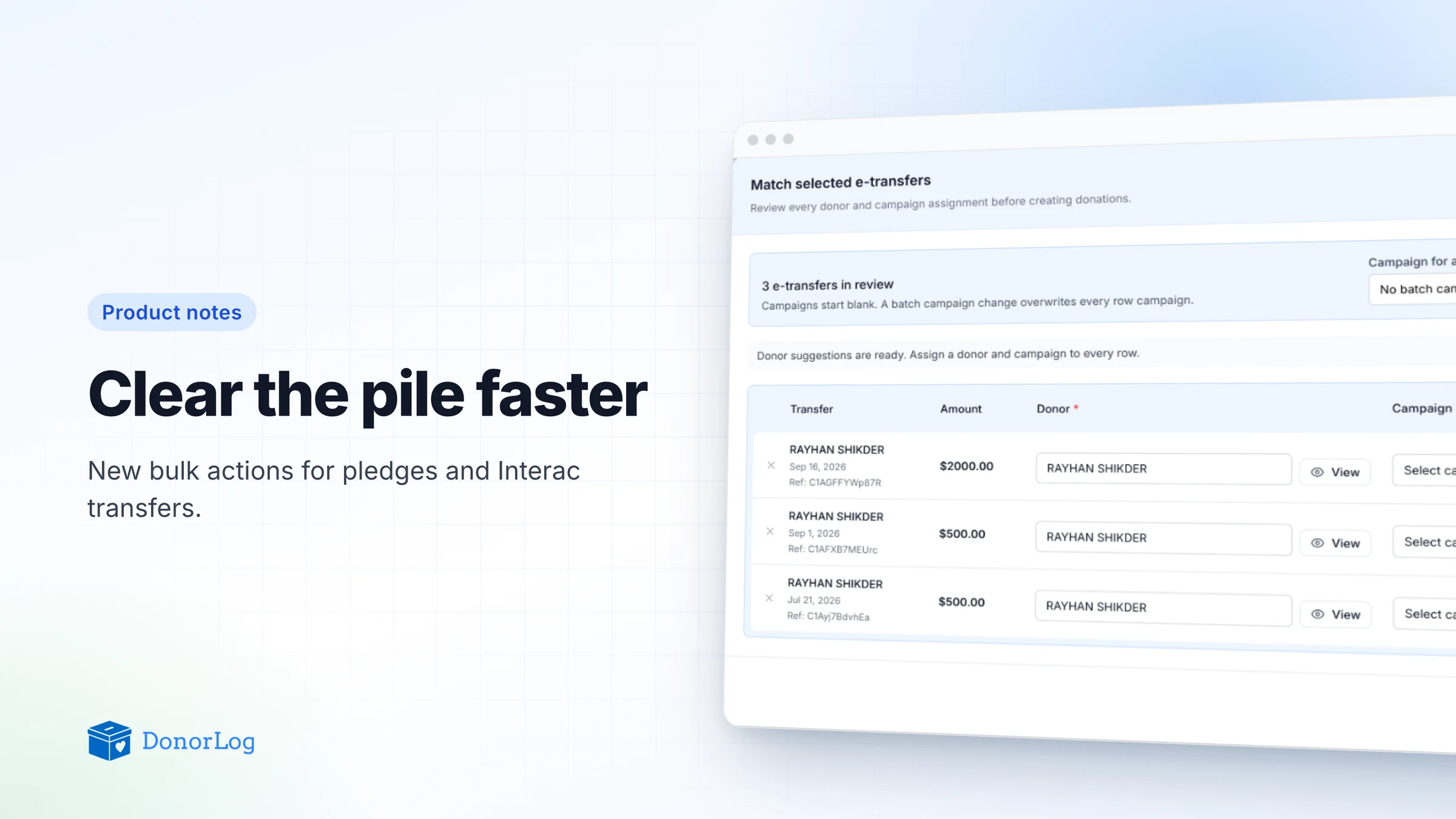
Match selected doesn't do anything straight away, and that's deliberate. It opens a review first, one row per transfer: who sent it, how much, when, the reference number, and two blanks to fill in, the donor and the campaign.
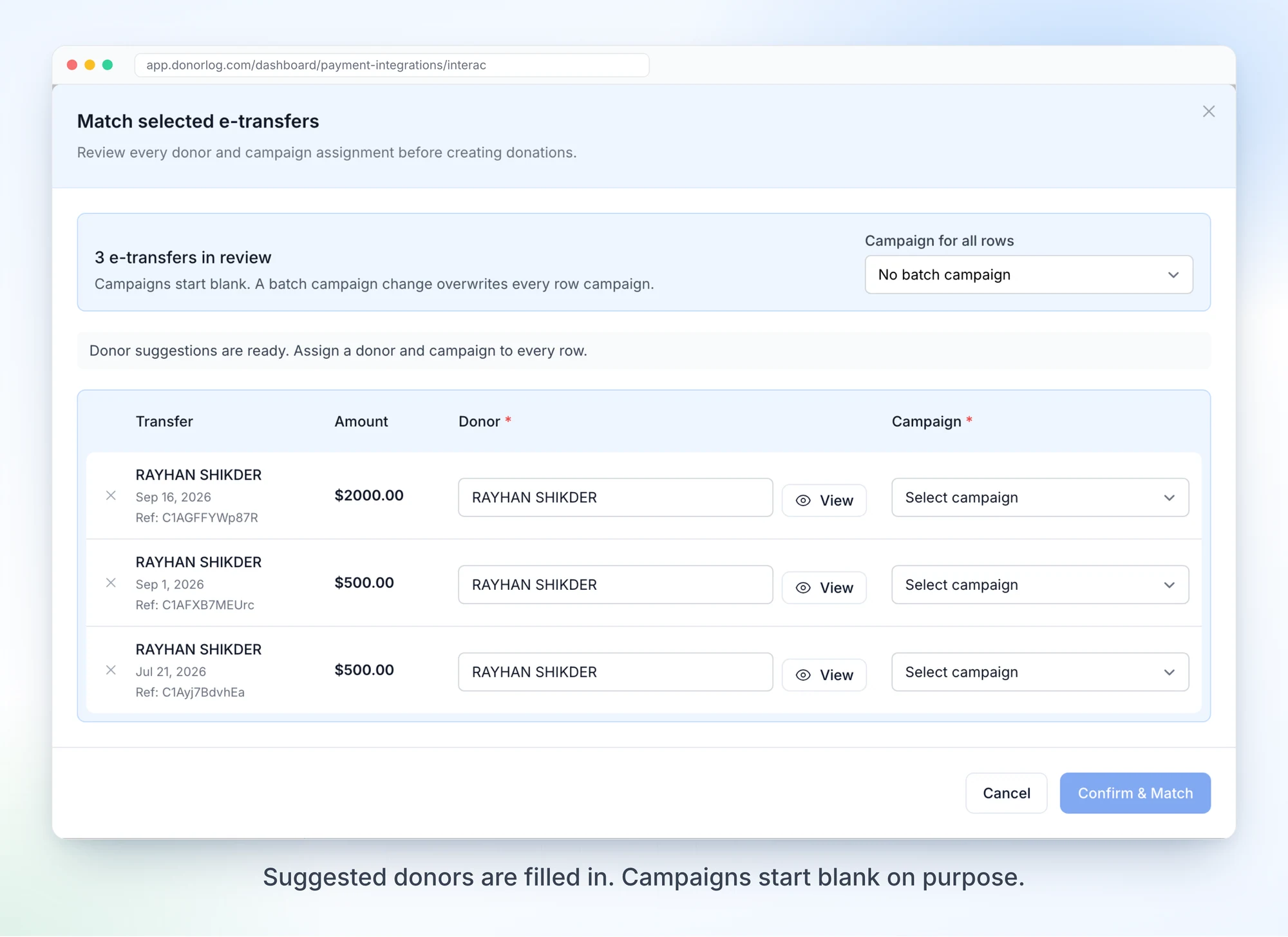
DonorLog guesses the donor from the sender's name, the same way the single Match button always has. Treat it as a guess. You can change it on any row, or drop a row from the review with the little x.
Campaigns start out blank. We went back and forth on that. Pre-filling your latest campaign would save a click, but it's also exactly how forty donations land in the wrong bucket without anyone noticing until the year-end report. So there's a Campaign for all rows picker at the top for when they really do all belong together, and you can still change single rows afterwards. Confirm & Match stays grey until every row has both a donor and a campaign.
Once you confirm, DonorLog works down the list one transfer at a time. You can watch it go: the current row is highlighted and finished ones get a green check.
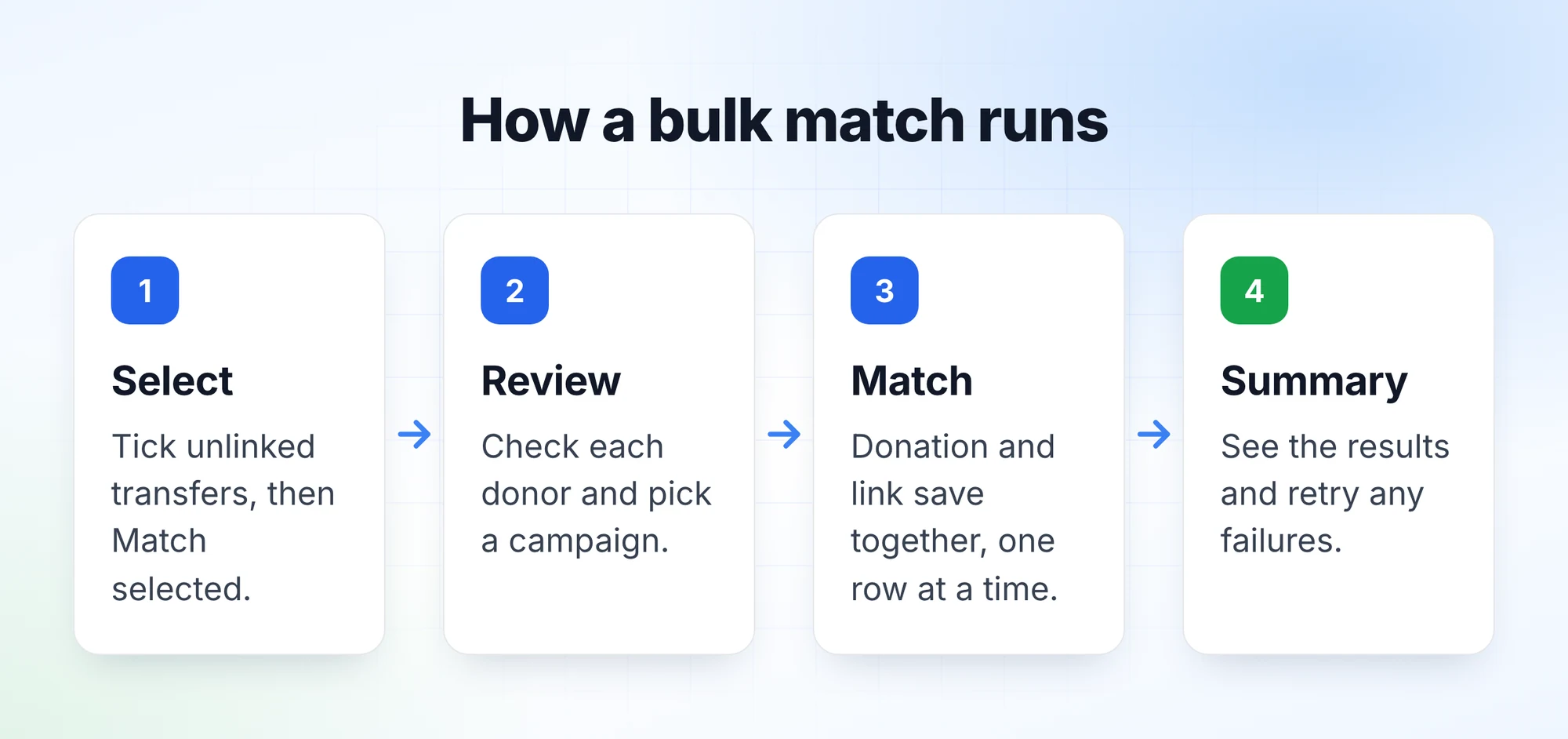
The part we spent longest on is the part you won't see. Matching used to be two separate saves behind the scenes, create the donation and then mark the transfer as linked. If the connection dropped in between, you'd end up with a donation whose transfer still showed as unmatched. Annoying once. In a loop of forty, a mess.
Now both happen together or not at all. If a request is retried after a dropped connection, DonorLog sees the transfer is already matched to that donor and campaign and doesn't create a second donation. If one row fails the rest carry on, and at the end there's a summary with a Retry failed button for anything that can still go through.
Donations matched this way behave just like ones matched by hand. They get E-Transfer as the payment type, the transfer's amount, date and branch, the reference in the notes, and the usual confirmation email if the donor has an address on file.
Ignore selected asks you to confirm, then works through the list the same way. It only ignores a transfer if it's still unlinked when it gets there, so if a co-worker matched one five minutes ago it skips that row rather than undoing their work. (A small fix while we were in there: ignored transfers used to say "Ignored (Duplicate)", which often wasn't true. Now they just say Ignored.)
Pledges
This one's simpler. On the Approved tab of the Pledges page, tick the pledges you want and click Update selected.
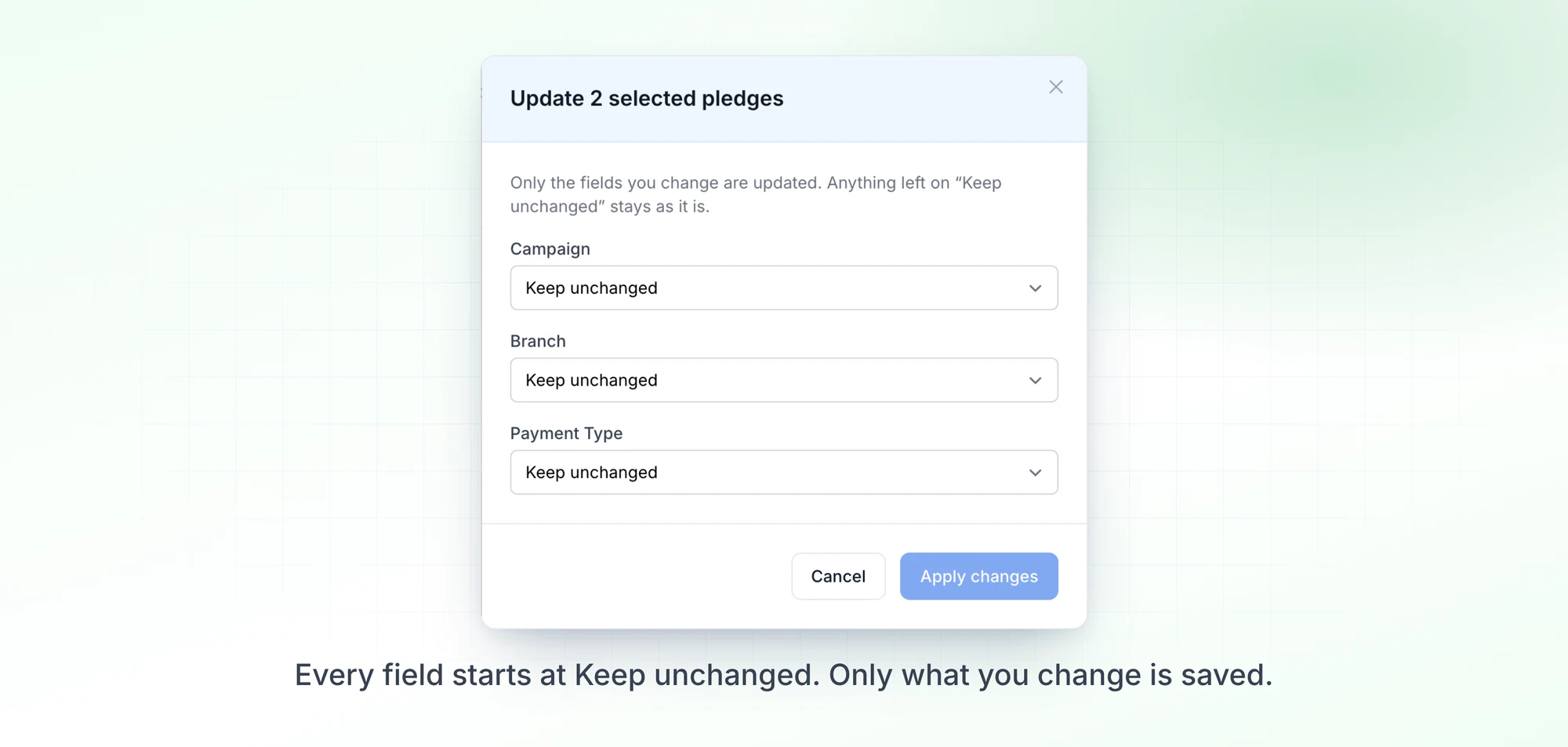
There are three fields, Campaign, Branch and Payment Type, and they all start at "Keep unchanged". Change what you need and the rest is left alone. Branch and Payment Type can be cleared; Campaign can't, since every pledge needs one. Your own custom payment types are in the list, and Branch only shows up if your organization uses branches.
It's all or nothing. If one pledge in the batch can't be updated (someone deleted it a minute ago, say), none of them change, and the window stays open with your choices so you can try again.
We were careful about what it leaves alone, too. Amounts, schedules, reminders and notes don't change. Donations already linked to those pledges keep their own campaign as well. That one could have gone either way, but a treasurer discovering that last March's donations had quietly moved campaigns because a pledge did seemed worse than having to update both.
Before you try it
Selection only covers the page you're looking at. "Select all" means the rows on screen, not every pledge that matches your filters, and changing page or filters clears it. Pledges can show up to 100 rows a page, which is also the most you can update at once. I know some people will want a real "select everything", but I'd rather you see exactly what you're about to change.
Bulk match only works with donors who already exist. If a transfer comes from someone new, take it out of the review and match it on its own, where you can create the donor.
Pledges waiting under Pending from pledge forms aren't included either. They still go through approve or reject like before.
If you've used bulk update on the Donations page, the pledge version will look familiar. Same window, on purpose.