If you've ever been responsible for sending tax receipts to donors, you know the process can quickly become overwhelming.
Tax season often starts with good intentions. You set aside a few hours to generate receipts, send emails, and make sure every donor receives the documentation they need.
Then reality hits.
There are hundreds—or even thousands—of donors to review. Some receipts have already been generated. Others haven't. A few donors need special attention. Before long, a task that should have taken an afternoon turns into days of repetitive work.
For nonprofit administrators, tax receipts are one of those essential responsibilities that simply can't be ignored. Donors expect them. Compliance requires them. Yet the process itself often consumes valuable time that could be spent supporting programs, engaging donors, or advancing the organization's mission.
That's exactly why we built Batch Tasks in DonorLog.
Built for the Reality of Tax Receipt Season
When we spoke with nonprofit administrators, a common frustration kept coming up:
"I don't want to process receipts one donor at a time."
Managing tax receipts individually might work for a small organization with a handful of donors. But as your donor base grows, the administrative burden grows with it.
You shouldn't have to open dozens—or hundreds—of donor records just to complete a routine task.
Batch Tasks was designed to eliminate that bottleneck.
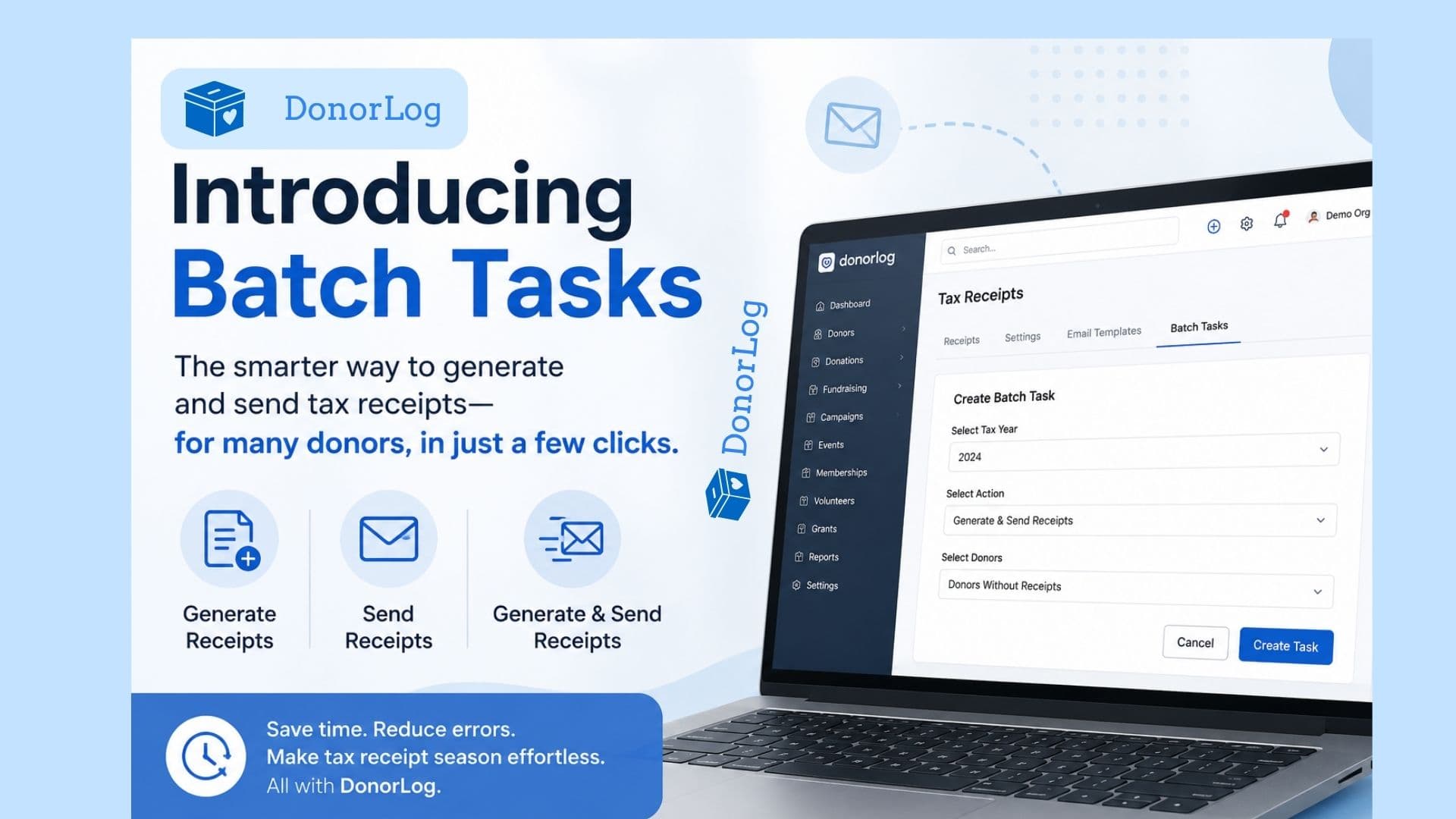
Instead of handling receipts individually, administrators can create a single task and let DonorLog process receipts for an entire group of donors automatically.
Whether you're preparing year-end receipts, following up on missing receipts, or processing a specific group of supporters, the workflow remains simple and efficient.
Less Clicking. Less Tracking. Less Stress.
One of the biggest challenges during tax receipt season isn't generating receipts—it's keeping track of everything.
Which donors already received a receipt?
Which tax year should be processed?
Who still needs a receipt generated?
Has everyone been emailed?
As organizations grow, answering these questions manually becomes increasingly difficult.
Batch Tasks helps simplify the process by allowing administrators to work with donor groups instead of individual records. Select the tax year, choose the donors you want to include, and create a task that handles the work for you.
Need receipts for all eligible donors?
Need receipts only for selected donors?
Need to find donors who don't yet have receipts?
The system accommodates each scenario without requiring complex manual filtering or repetitive administrative work.
Designed to Save Time Without Sacrificing Control
Automation is valuable, but nonprofit teams still need flexibility.
That's why Batch Tasks doesn't force organizations into a single workflow.
Some administrators prefer to generate receipts first and review them before sending. Others want the fastest possible process and would rather generate and send receipts in a single step.
Both approaches are supported.
The goal isn't to change how your organization works—it's to remove the unnecessary manual effort that slows your team down.
The Difference Between Hours and Minutes
Imagine preparing tax receipts for an entire year's worth of donations.
Without automation, that process often involves reviewing donor records individually, generating receipts one at a time, tracking completion manually, and sending emails separately.
With Batch Tasks, much of that administrative burden disappears.
What once required countless clicks and constant oversight can now be completed through a streamlined workflow designed specifically for nonprofit teams.
The result is less time spent on administrative tasks and more time focused on the people and programs that matter most.
A Better Experience for Administrators and Donors
Tax receipts are more than a compliance requirement—they're part of the donor experience.
Donors expect timely, accurate receipts. Delays or missed receipts can create unnecessary frustration and additional support requests for your staff.
By simplifying bulk receipt processing, Batch Tasks helps organizations deliver receipts more efficiently while reducing the risk of human error.
It's a small change that can have a significant impact on both staff productivity and donor satisfaction.
Making Tax Season Easier
At DonorLog, we're always looking for ways to reduce administrative workload for nonprofits. Batch Tasks is one of those improvements that seems simple on the surface but can save organizations countless hours over the course of a year.
If your team spends too much time generating and sending tax receipts, this feature was built for you.Because tax receipt season shouldn't mean days of repetitive work.
It should be as simple as selecting your donors, choosing a tax year, and letting DonorLog handle the rest.